
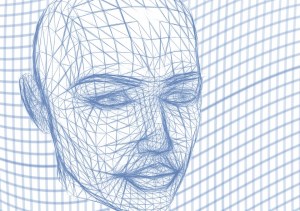
 There are different types of 3d modelling tutorials depending on the level of experience as well as the software being used. You can find tutorials for beginners, intermediates, and advanced users, as well as tutorials for the specific software you use.
The Digital Tutors website has an excellent selection of 3d modelling tutorials. Digital Tutors has tutorials for Fusion 360, World Machine, Marvelous Designer, Blender, Houdini, MODO, Vue, Mudbox, TopoGun, ZBrush, Softimage, CINEMA 4D, 3ds Max, and Maya. You can also find tutorials for software not listed here as the site has a wide range of tutorials.
Digital Tutors website also has a page called “3D Learning Paths” the page is filled with quick start tutorials for just about every program you can think of. The page is loaded with tutorials like Dynamics in Houdini, Rendering in CINEMA 4D, Quick Start to Modeling in 3ds Max, and tons of others. You could literally spend weeks learning with all the 3d modelling tutorials supplied on this page alone.
Using tutorials can help you focus on learning specific skills such as texturing, scripting, dynamics, sculpting, modeling, rigging, lighting, animation, and rendering. Instructional tutorials enable you to focus in on a specific skill in order to master it completely. There are many other websites out there that provide free 3d modelling tutorials. A really good tutorial site is 3D Total; they have thousands of free tutorials. For good step by step instructions, check out Free 3D Tutorials website. All you have to do is search online, and you can find tutorials on every aspect of 3d modelling. Never forget, the more practice you have, the better artist you will become.
 3D model technology
Leave a comment